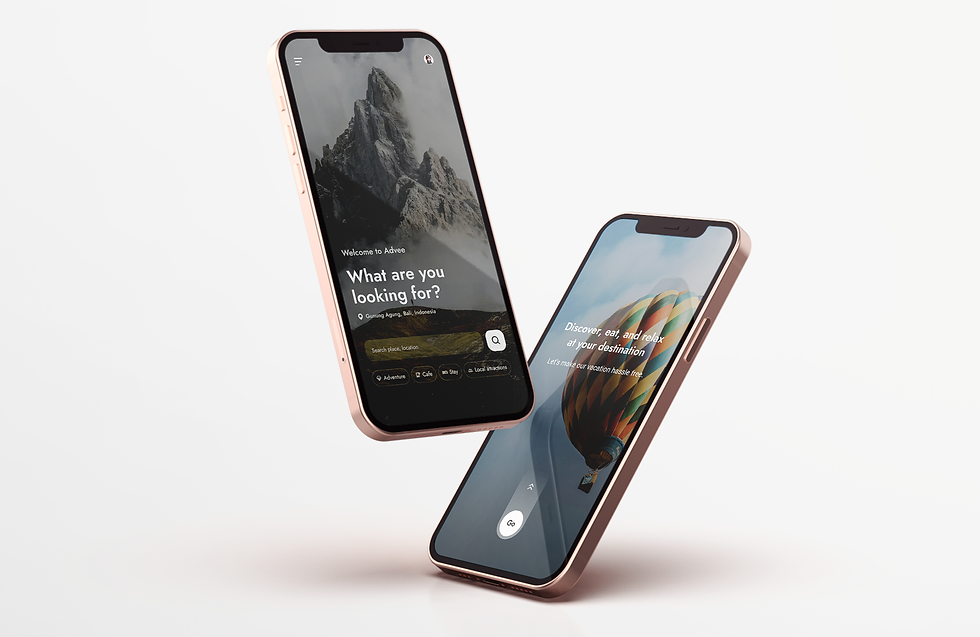

Roamate is an AI-powered travel discovery and navigation app designed to help tourists explore a city confidently and effortlessly.
It brings nearby tourist spots, cafés, adventure activities, and hotels into one place, using an interactive map with real-time crowd levels, safety insights, distance filters, and smart routing.
Smart local travel companion that helps you roam like a local, not a tourist.
Project
Client/Freelancing
Project/Travel assistant app
Category/Travel
Date/2025


Used Looka.ai to design the logo
Typography & Colors
Travel
Assistance.
Map-based.
Adventure.
Preferences.

ABCDEFGHIJKLMNOPQRSTUVWXYZ
abcdefghijklmnopqrstuvwxyz
1234567890.,;:’”/? ABCabc123...
Jost

Used colormind.io to generate color combination

Tourists in a new city struggle to find authentic places, assess safety and value, and compare stays, often jumping between multiple apps and sources. This leads to confusion, decision overload, and wasted time.
Discover, eat, and relax.
Entire trip managed in one convenient app.


Travel
Assistance.
Map-based.
Adventure.
Preferences.
Discover, eat, and relax.
Tourists often jumped between couple of applications, took screenshots to save places offline, and relied on locals or cafe staff for recommendations. Poor directions and lack of trusted reviews led to confusion, repeated routes, and hesitation in choosing local experiences.
Used Gemini for thorough research


In Depth Interviews
Understand how tourists discover places & make decisions while navigating a new city, including pain points around trust, safety, and convenience. This helped validate the need for a unified app to improve travel experiences.
Used Gemini for interview process (Creating questions and collecting responses online)


AI Suggestions
Category
Quick Filters
Interactive Maps
Itinerary
Local Reviews
AR Style


Used AutoFlow Plugin in Figma
Tourists often jumped between couple of applications, took screenshots to save places offline, and relied on locals or cafe staff for recommendations. Poor directions and lack of trusted reviews. This immersive, AR-style trek visualization enhances spatial awareness and journey planning by overlaying a dashed route directly onto the mountain terrain, clearly showing switchbacks and elevation changes.
The destination pin marks a clear visual goal, while minimal UI elements keep the interface clean and focused.
Semi-transparent stat cards display time and distance without blocking the scenery. Overall, the visual mapping helps users better understand the terrain and mentally prepare for the trek, reducing cognitive load compared to traditional 2D maps.

Used Uizard.io for creating wireframes

The feature enhances exploration through a radar-style proximity view that intuitively shows relative distances, paired with visual-first discovery using image thumbnails instead of pins.
Dynamic focus states, contextual category filters, and clear distance markers make it easy for users to quickly understand what’s nearby and decide where to go with minimal effort.
Radar-Style Proximity
Spatial Discovery
Clear Distance Markers
Contextual Filtering
Date/2025
Using the destination photo as a full background creates an instant emotional connection while keeping the interface visually clean. Key details like price, location, and rating are neatly grouped at the bottom, allowing users to focus on the imagery without missing essential information.
The stacked card effect behind reviews subtly indicates swipe interaction, removing the need for explicit navigation buttons. Consistent display of reviewer name, date, and star rating builds trust through clear, standardized social proof.


Discover places, eat, adventure & book stays.
The interface uses a vertical timeline rail with connected nodes to visually represent the flow of activities throughout the day, clearly reinforcing the passage of time.
A horizontal calendar strip at the top allows quick switching between dates while keeping the current day highlighted for context.
Rich itinerary cards enhance the experience by combining descriptions with visual elements like image thumbnails, helping users better visualize upcoming activities.